
Training certificates, medicals and qualifications all expire on their own schedule, often recorded in a spreadsheet that one person has to keep updated. By the time someone notices, the employee may already be scheduled to work. Gearbox keeps these records together and alerts your team before something expires.
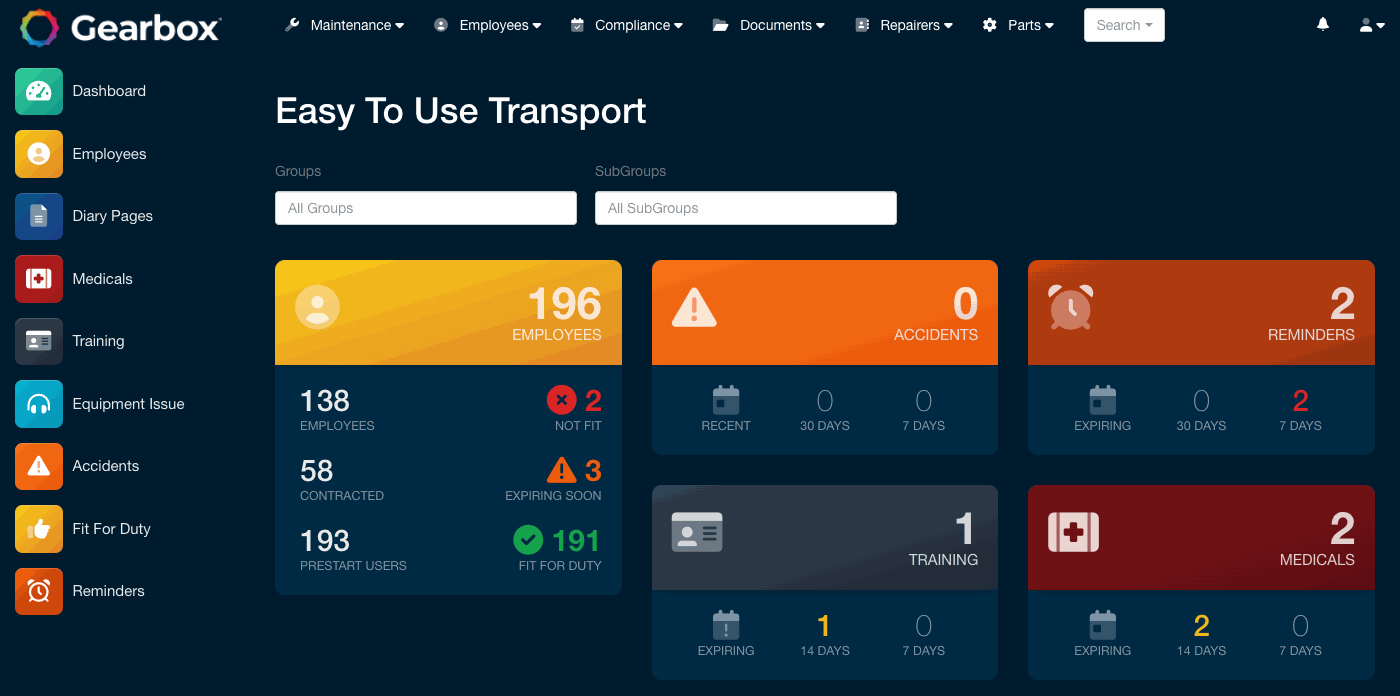
Every employee has a single traffic light status across training, medicals and reminders, so you can see at a glance who needs attention. The dashboard breaks the workforce down by what is expiring in 7, 14 and 30 days, including who is fit for duty and who is not.
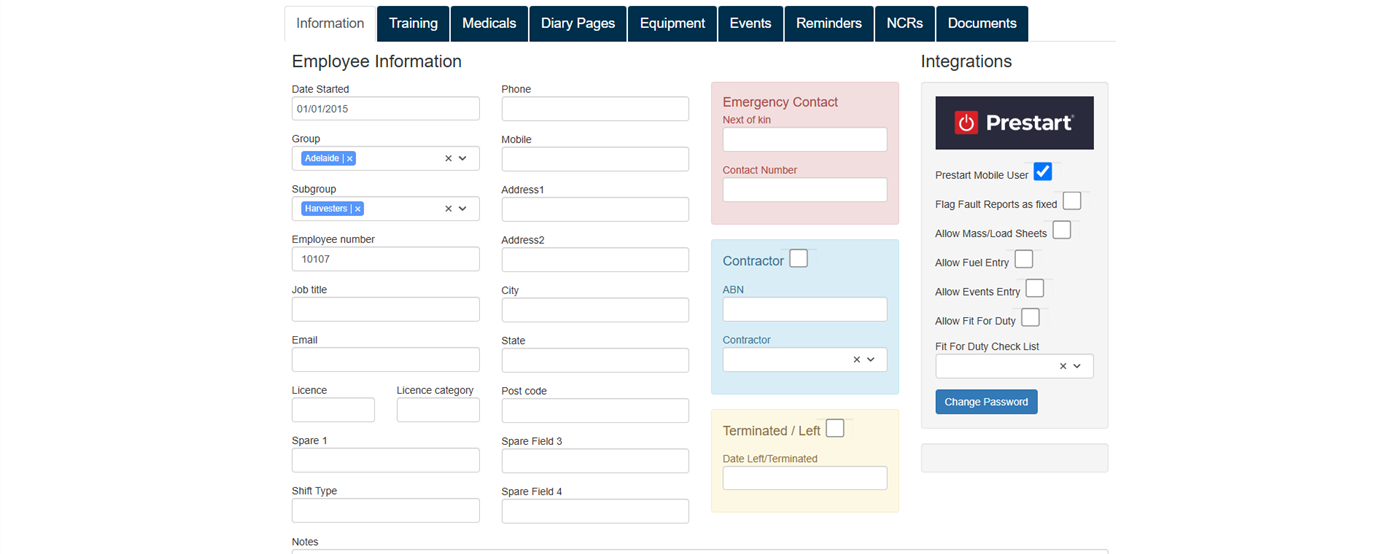
Training, diary pages, medicals, equipment issued, events, reminders, non-conformances and documents all sit on the employee record. Certificates and medicals are attached with their own expiry dates, and one person can hold as many as they need. Contractors are tracked the same way as employees.
Record and attach medicals with an expiry date. An employee can hold several at once, each tracked separately.
Add as many training types as you need, attach the certificate and set an expiry date where one applies.
Keep track of PPE, first aid kits and tools issued to an individual or to a vehicle.
Track incidents, accidents and near misses across employees, vehicles and contractors.
Log fit for duty records, or configure a checklist for drivers and operators to complete in the Prestart app.
Raise a non-conformance against a person, assign the corrective action and track it to closure alongside the rest of their record.
See how Gearbox handles the day-to-day details of employee records, with practical guides to each feature.
Every person's training, medicals and reminders in one grid, with training and medical types as the columns. Choose which columns show, and read the colours across a row to see exactly what someone is missing before you roster them.
Read the guideRecord any training type against a person, with the certificate attached, the provider recorded and an expiry set where one applies. Training types named for mass or maintenance are automatically tallied into the matching accreditation review.
Read the guidePhones, laptops, tools and PPE are logged against the person holding them. Fire extinguishers, toolboxes and first aid kits are assigned to the vehicle that carries them. Either way, there is a record of what went where.
Read the guideDated diary pages sit against each employee, with a reference and scanned documents attached, so conversations and paper records stay findable years later.
Read the guideEmployees double as the driver list for the Prestart app. A driver logs in with their mobile number, so adding a person to the register is most of the work of putting the app in their hands.
Read the guideStart a free trial, or book a walkthrough with our team and we will set up a proof of concept using your own people and assets.